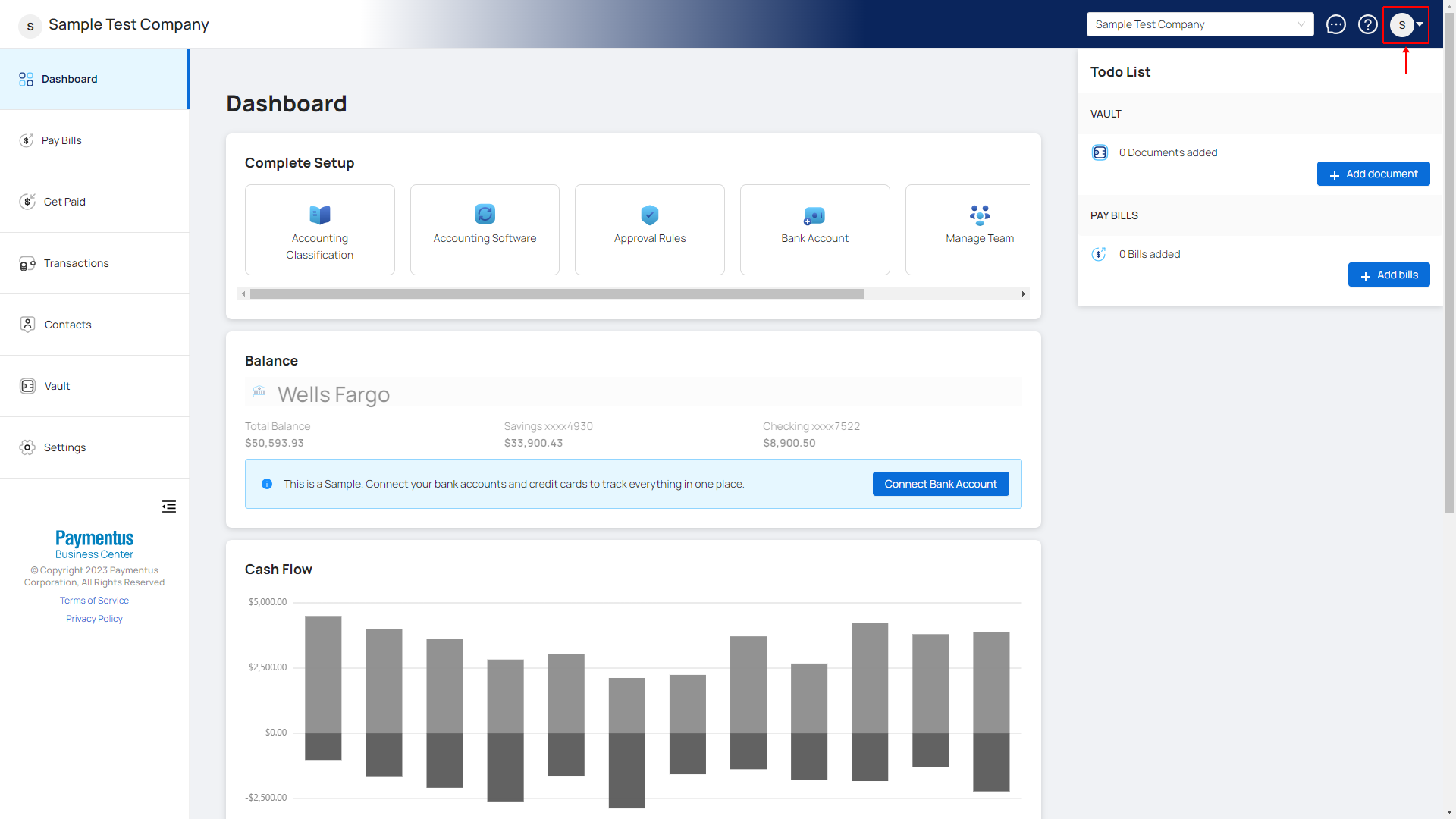
- On the top bar, on the right side click on the dropdown for your profile.
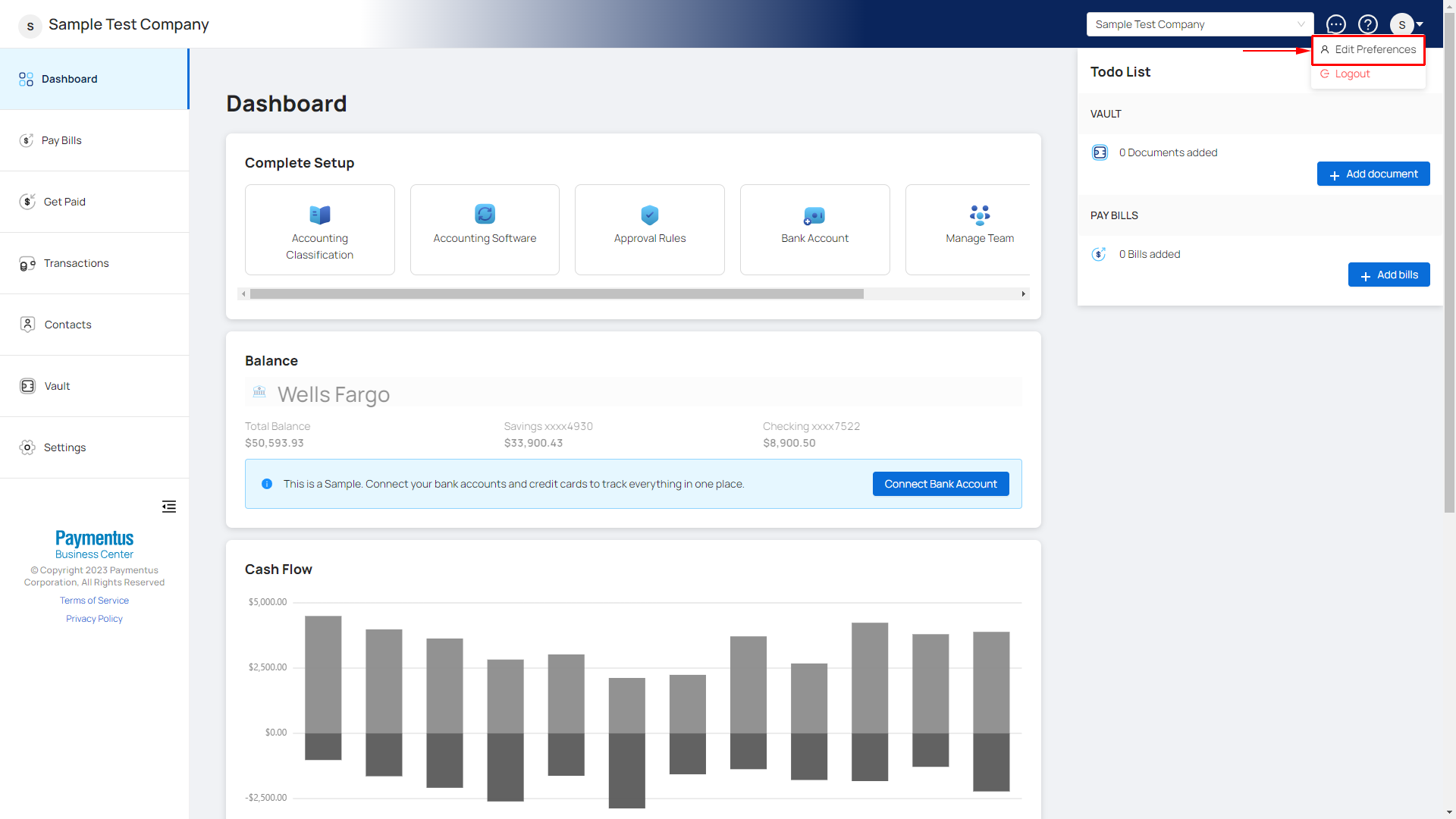
- Select Edit Preferences.
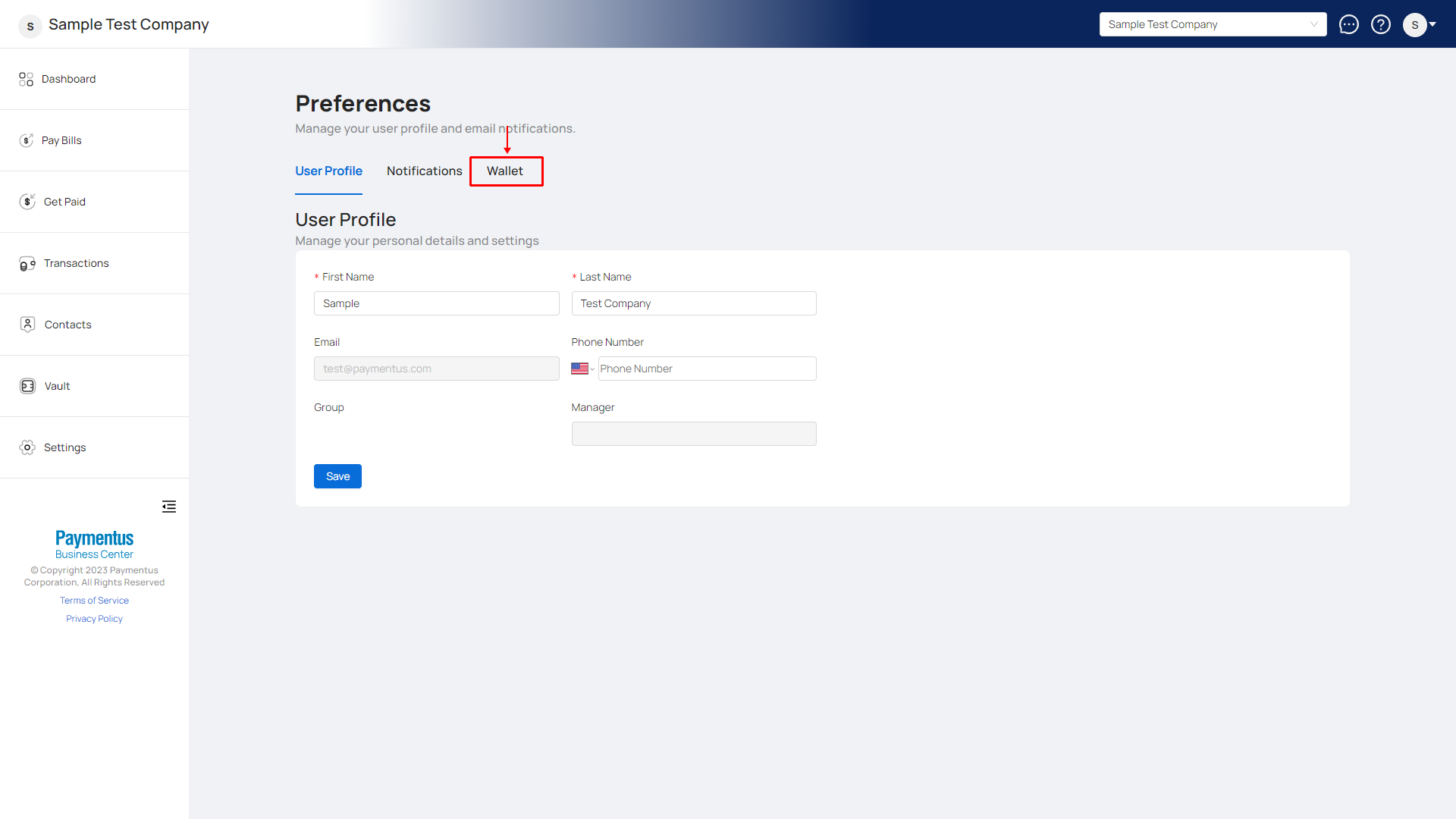
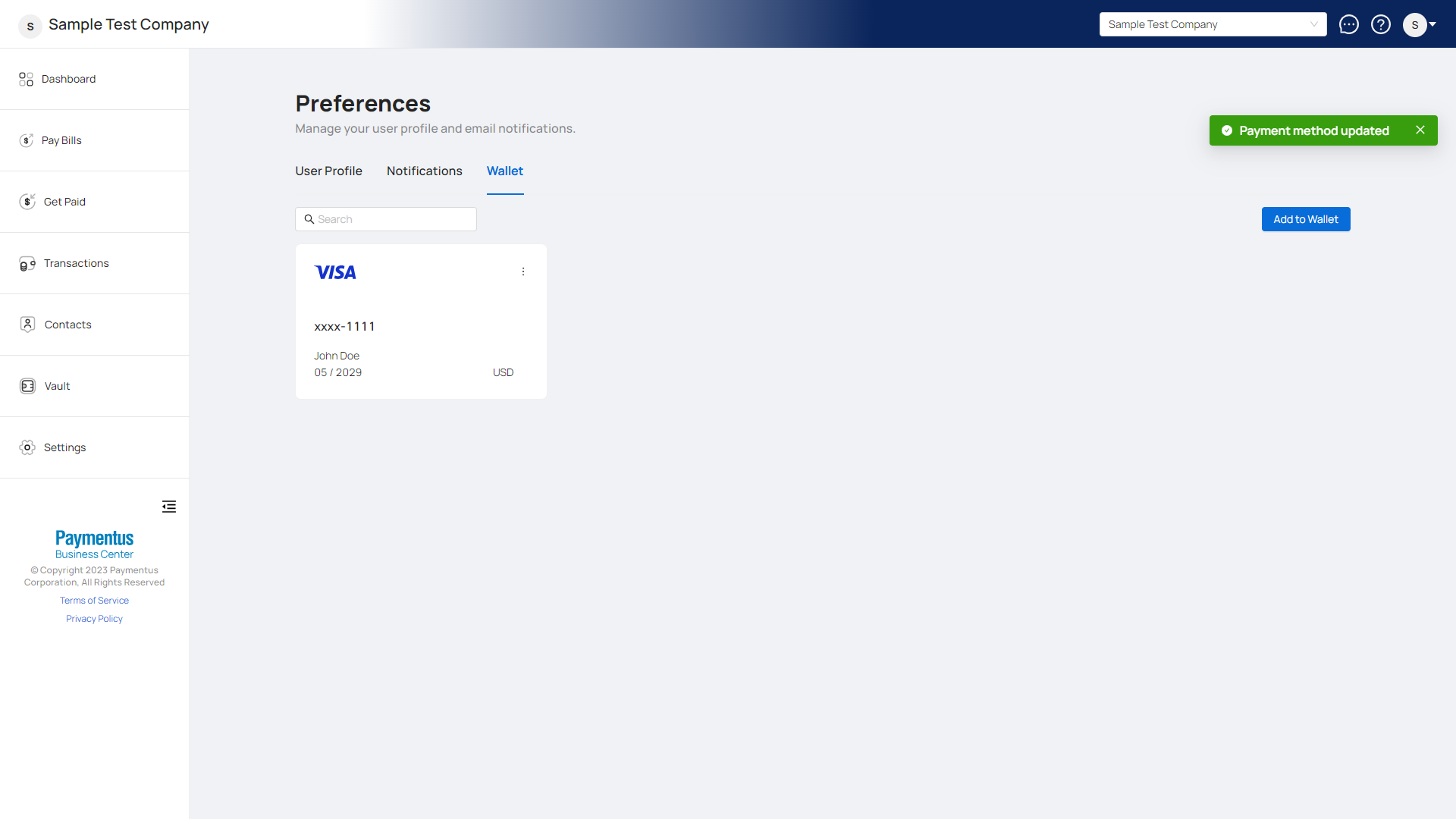
- Click on the Wallet tab.
- Find the payment method you want to edit and click on the
 button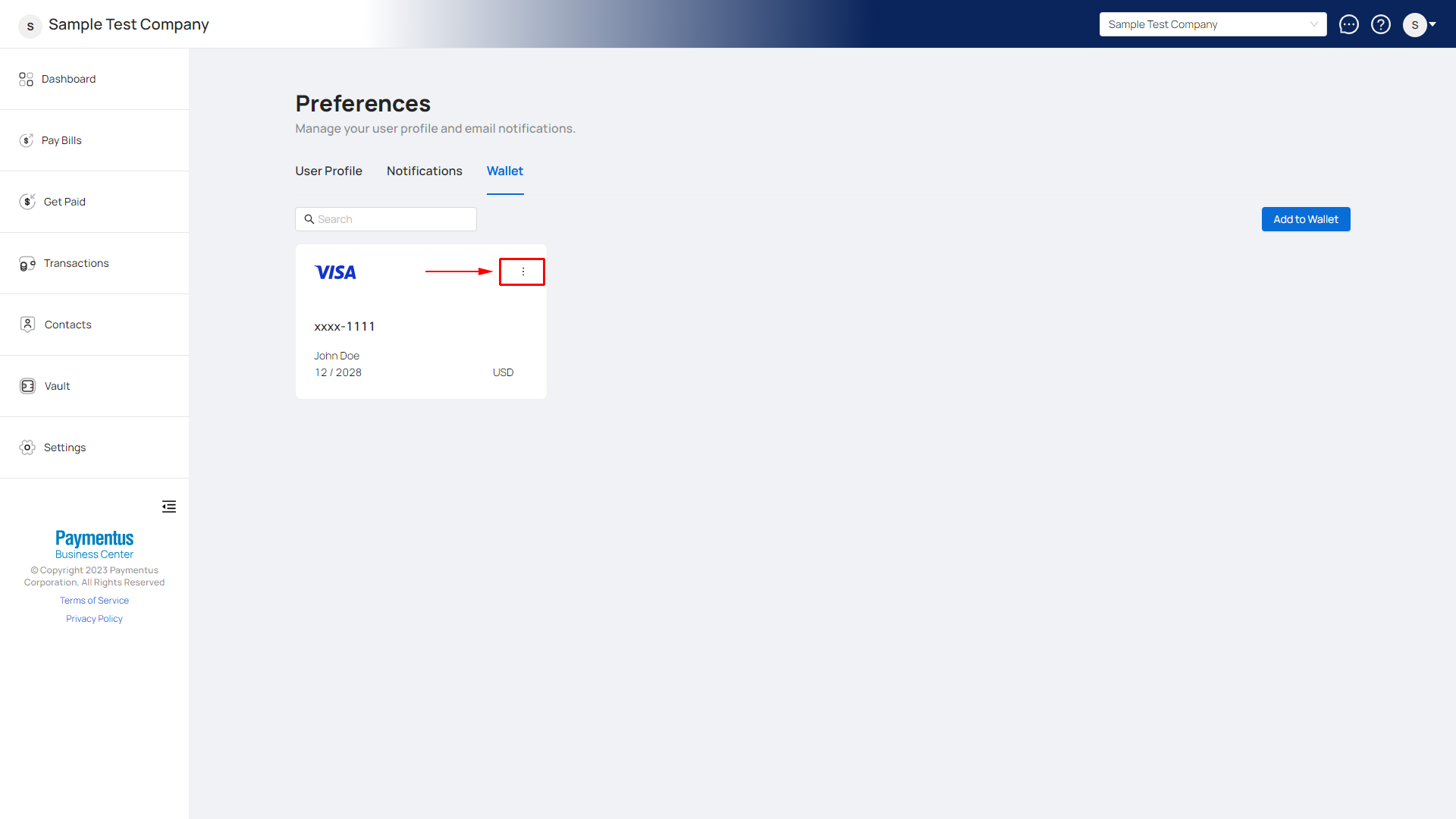
- Select Edit.
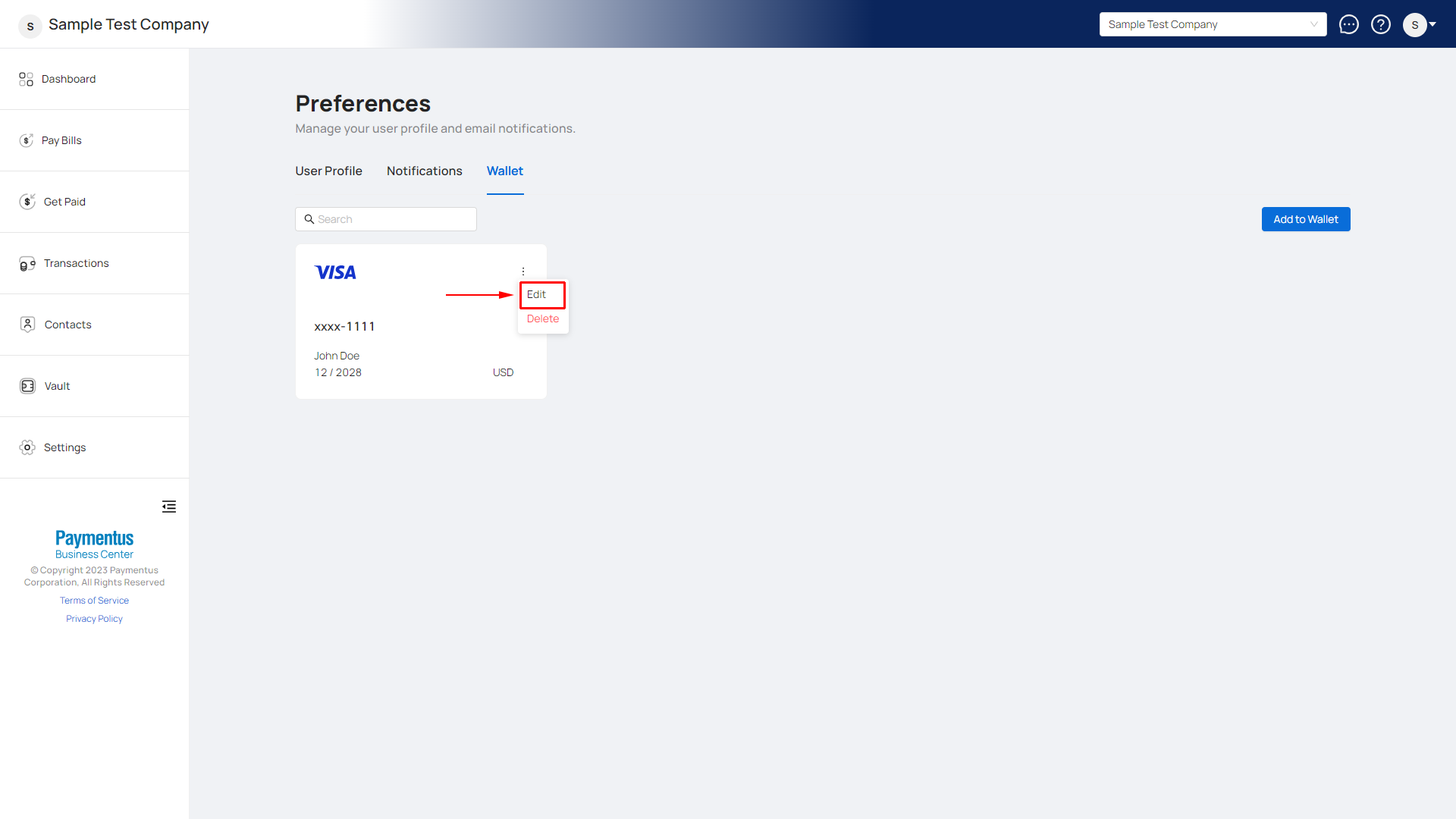
- A modal will appear showing your selected payment method details.
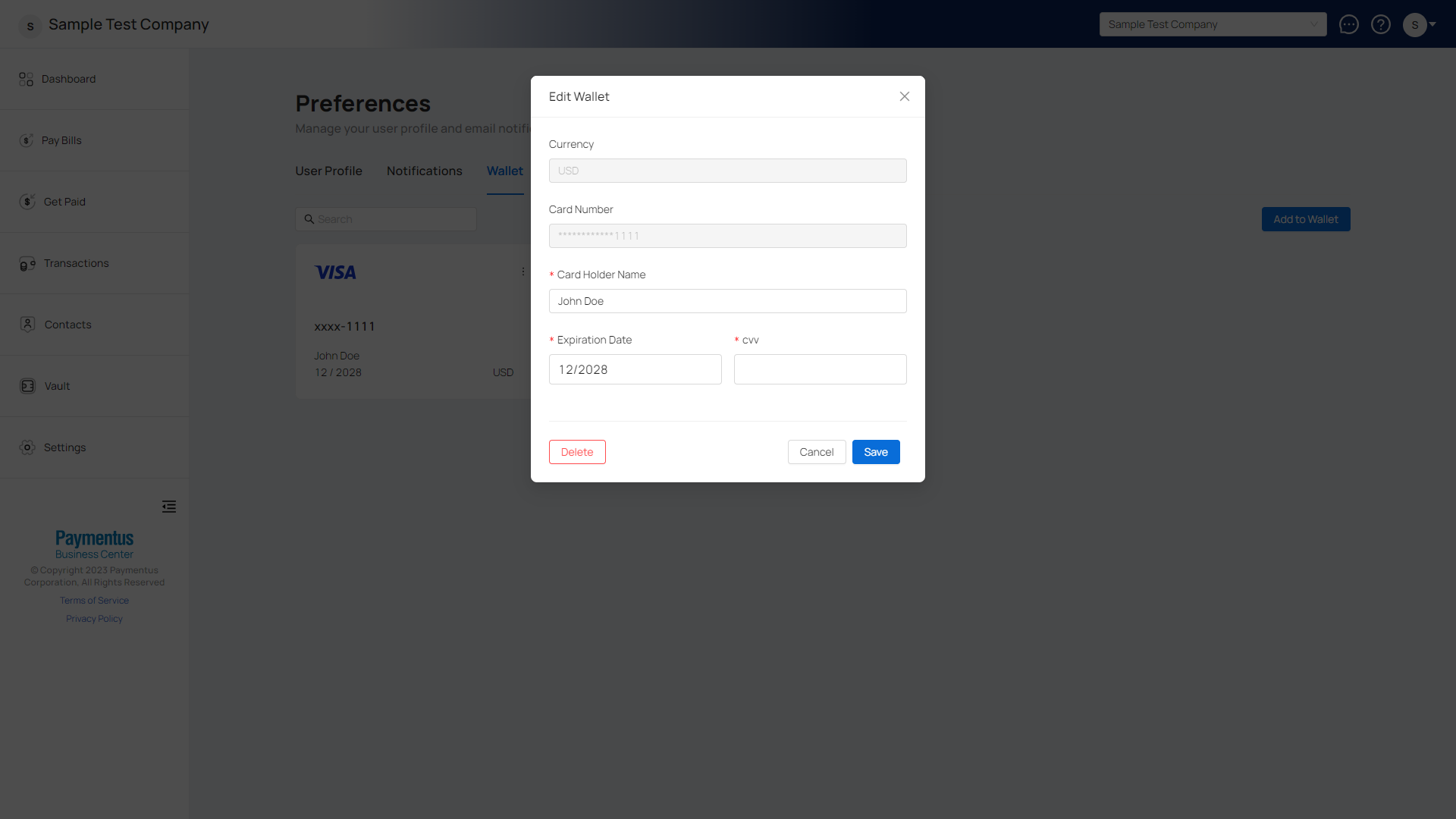
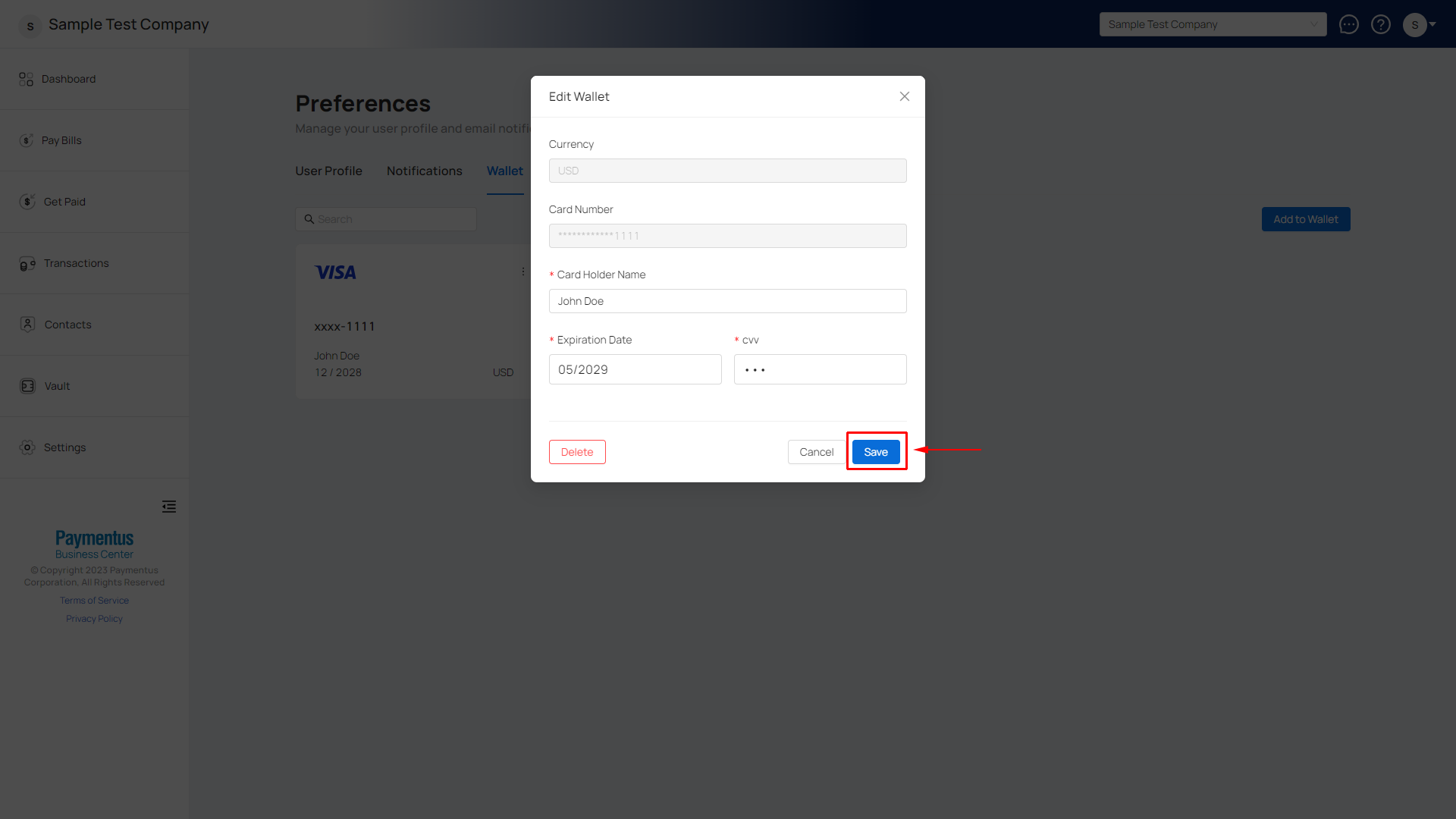
- Update your payment method information and click Save.
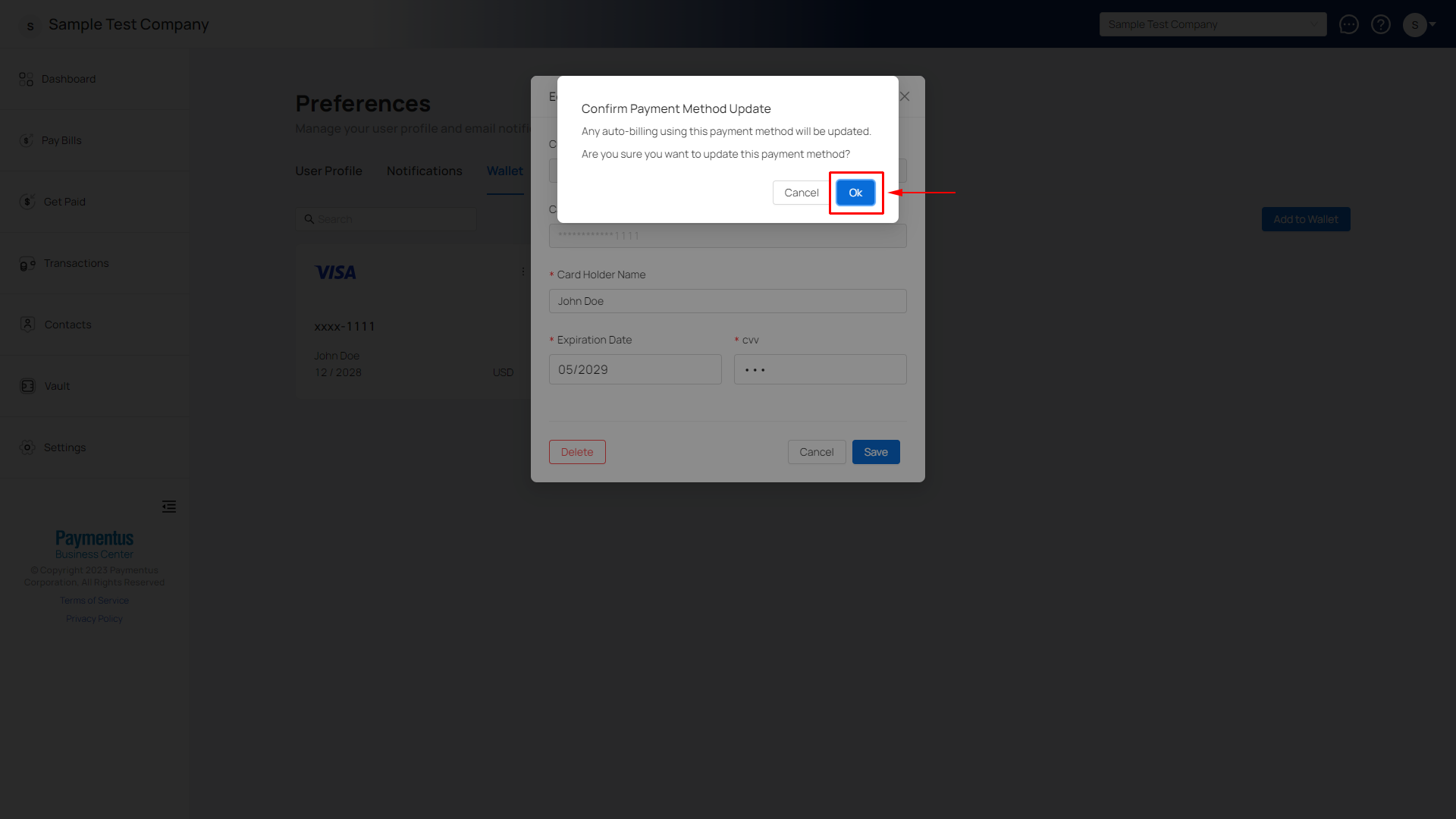
- A confirmation modal will appear to notify you that any scheduled payments using this payment method will be updated with your new payment method details. Click Ok.
- Your payment method is now updated.
Comments
0 comments
Please sign in to leave a comment.